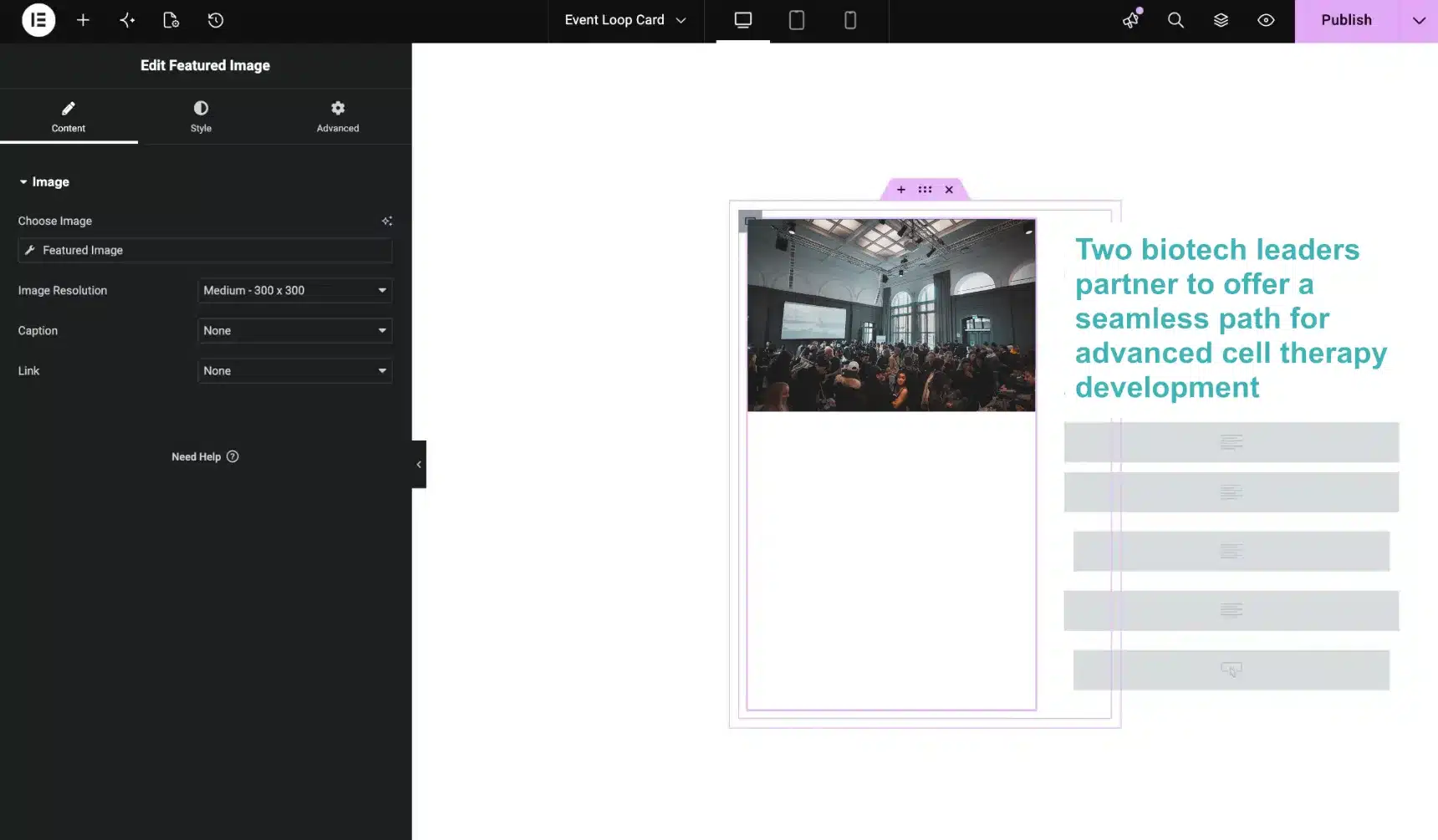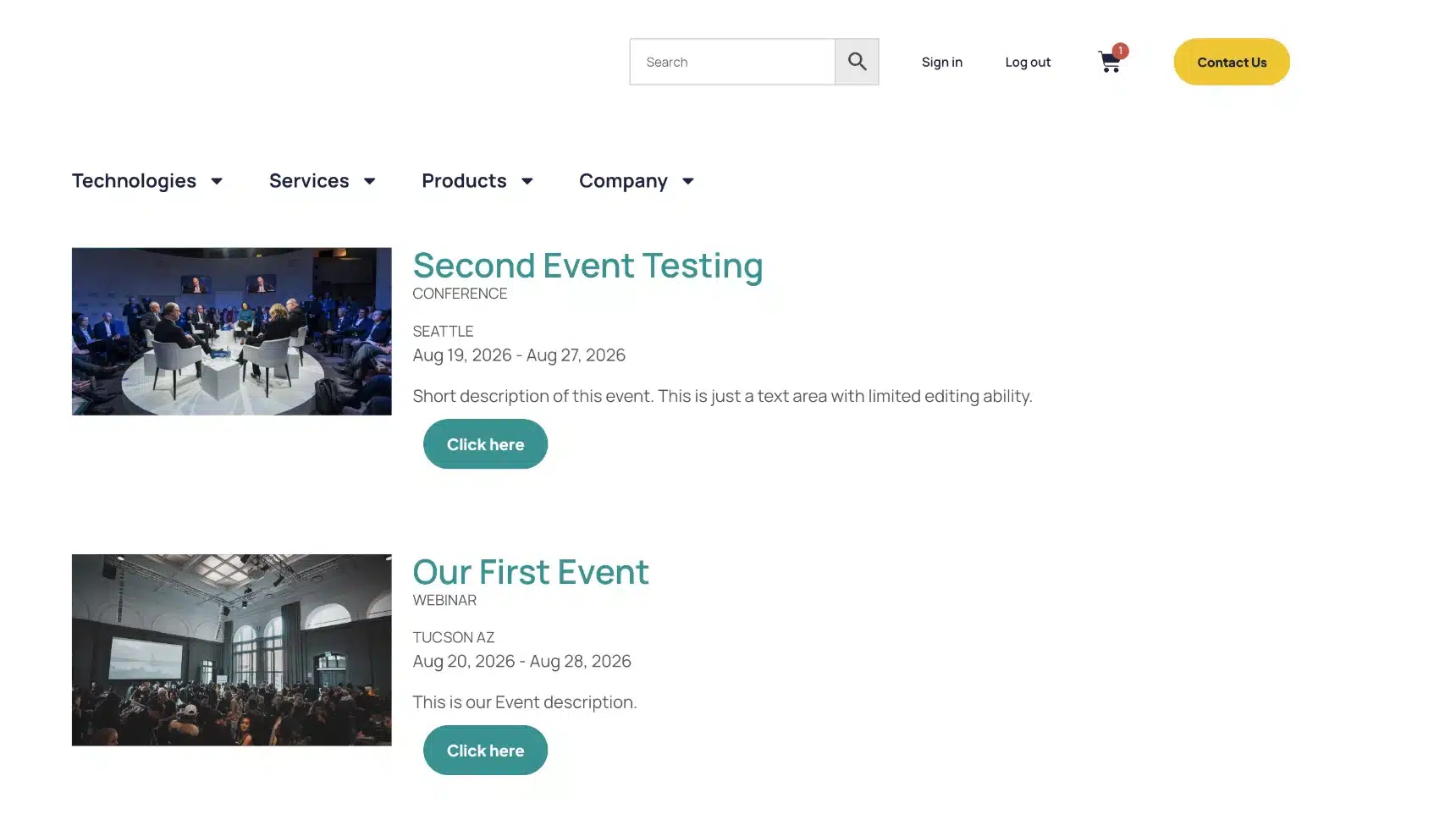
A client came to us needing a way to manage and display upcoming events on their site. The default move here is usually an events plugin — most come packed with calendar views, ticketing, RSVP flows, recurring-event logic, the works. Great if you’re running dozens of events a month. Overkill if you’re not.
Our client wasn’t. They needed a simple, clean way to show events as cards, and a way to stop old events from sitting around on the page after they’d already happened. That’s really it.
So instead of adding another plugin subscription (and the update headaches and page bloat that tend to come with it), we built them a custom Events post type using a lightweight snippet setup:
- A dedicated Events content type, kept separate from blog posts and pages
- An Event Type taxonomy so events can be organized and filtered by category
- Events displayed through the site’s existing Elementor Loop Grid, styled as cards — no new plugin, no new page template
- Expired events automatically move to draft once their date passes, so nothing needs manual cleanup
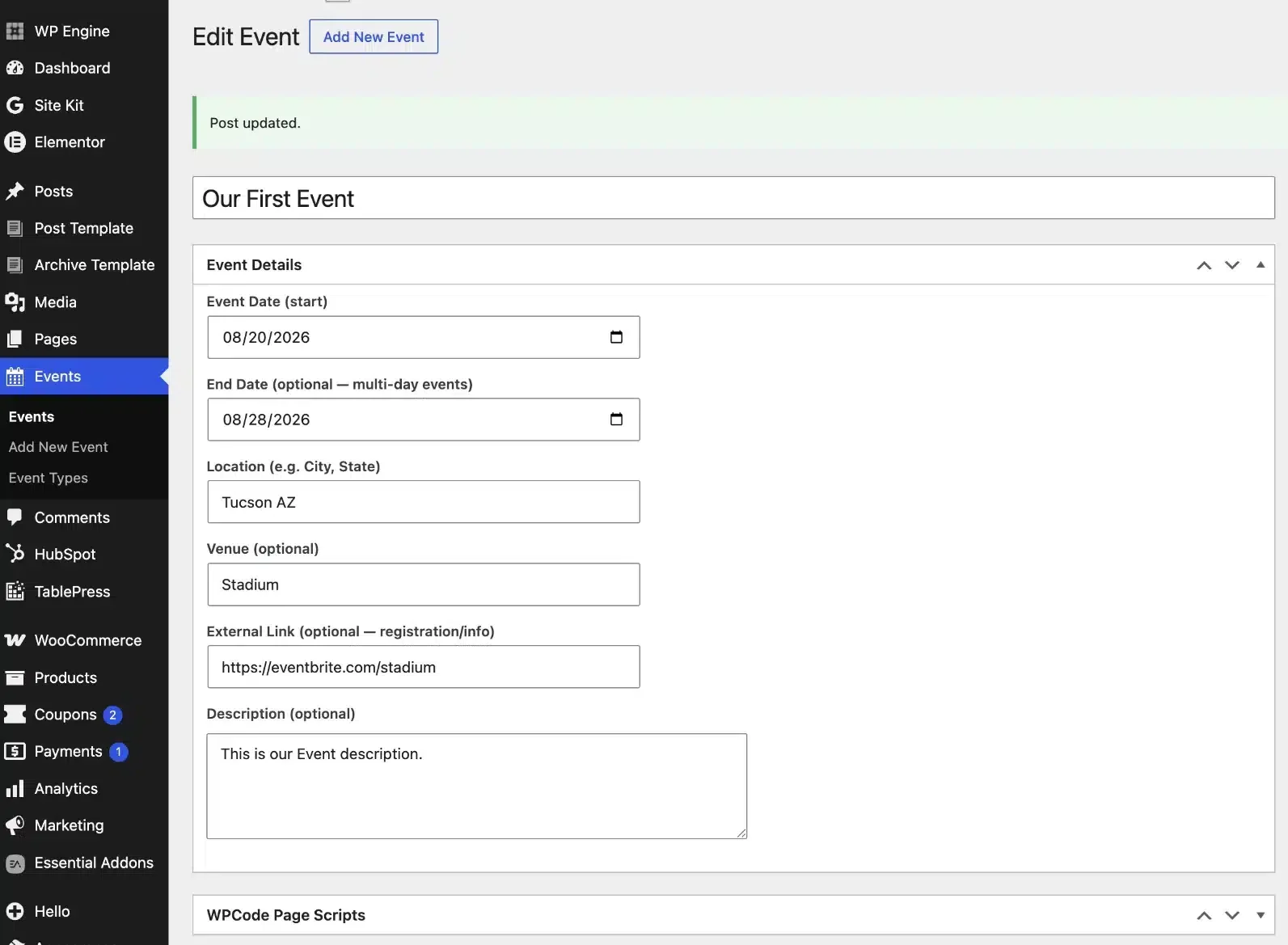
No plugin fee, nothing extra running in the background, no features they’d never touch. Just a small, purpose-built solution doing one job well.
One nice side effect: since the events are built as loop items instead of being locked into a plugin’s fixed layout, our client’s team can design their own card styles and use them elsewhere on the site too — not just for events. A compact card for a sidebar, a bigger featured card for a landing page, a stripped-down list card for an archive page. Products, team bios, resource pages — any of it can reuse the same loop-card setup going forward, instead of needing a custom build from scratch every time.